Acme Plumbing
INVOICE
Sample Client
| Description | Amount |
|---|---|
| Repipe upstairs bathroom, PEX | $960.00 |
| Labor, 6 hrs at $95.00 | $570.00 |
| Shutoff valve | $0.00 |
Subtotal$1,530.00
Tax (8.25%)$79.20
Amount due$1,609.20

In the SnipInvoice app
For plumbers, electricians and HVAC techs in the United States. In the SnipInvoice app, say who the job was for, what you did and what it costs — then read the invoice before anyone else sees it. This website does not take a recording.
Coming soon to Android. Ask to join the test.
Sample Client. Repipe the upstairs bathroom, PEX, nine hundred sixty dollars. Labor, six hours at ninety-five an hour. And a new shutoff valve.
Acme Plumbing
INVOICE
Sample Client
| Description | Amount |
|---|---|
| Repipe upstairs bathroom, PEX | $960.00 |
| Labor, 6 hrs at $95.00 | $570.00 |
| Shutoff valve | $0.00 |
Subtotal$1,530.00
Tax (8.25%)$79.20
Amount due$1,609.20
Demo, sample recording
This does not use your microphone, and it does not send audio anywhere.
Three steps in the SnipInvoice app, and nothing leaves your phone until you send it. The phones are sample screens.
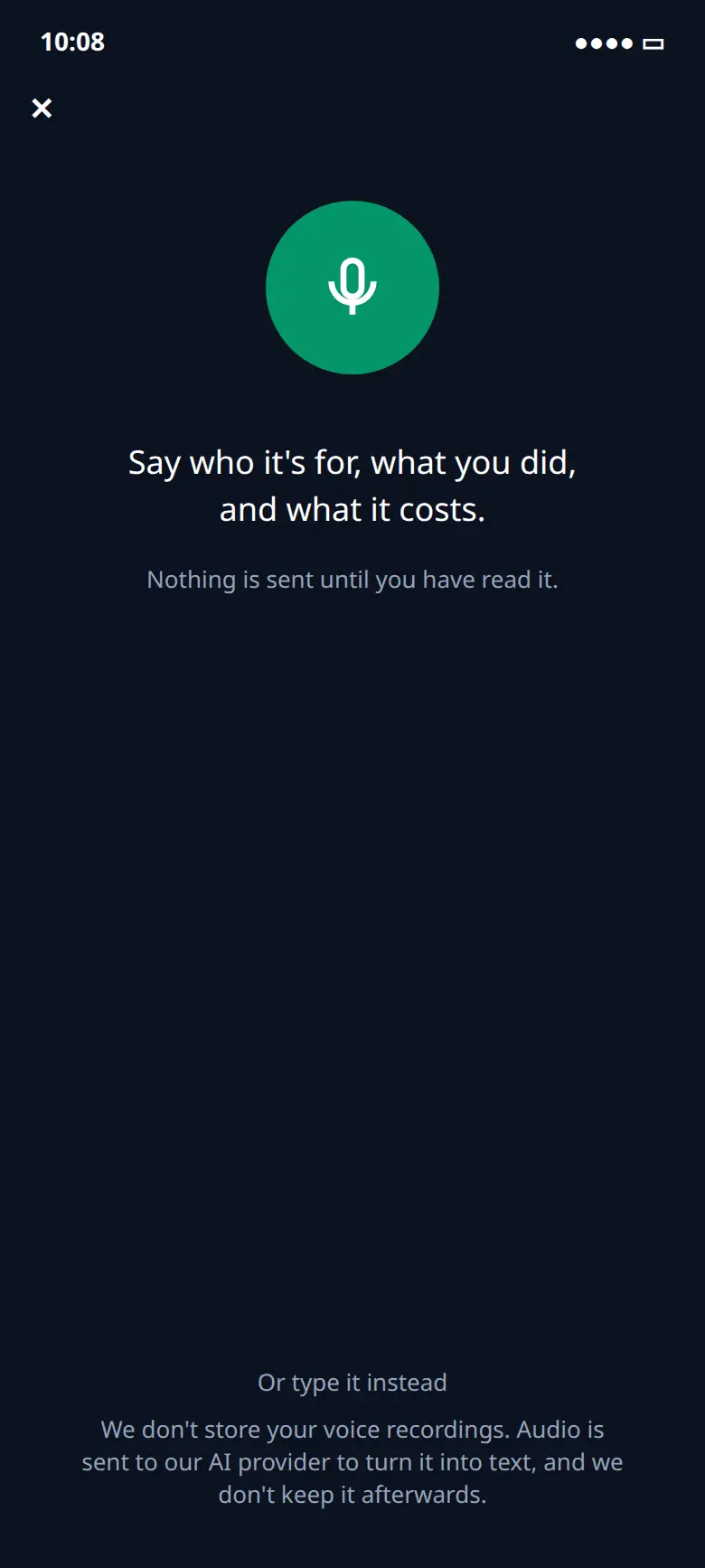
01
In the SnipInvoice app, tap the microphone to start and describe the job, then tap again to stop. Or type it. Voice is the fastest way in, not the only one.
We don't store your voice recordings. Audio is sent to our AI provider to turn it into text, and we don't keep it afterwards.
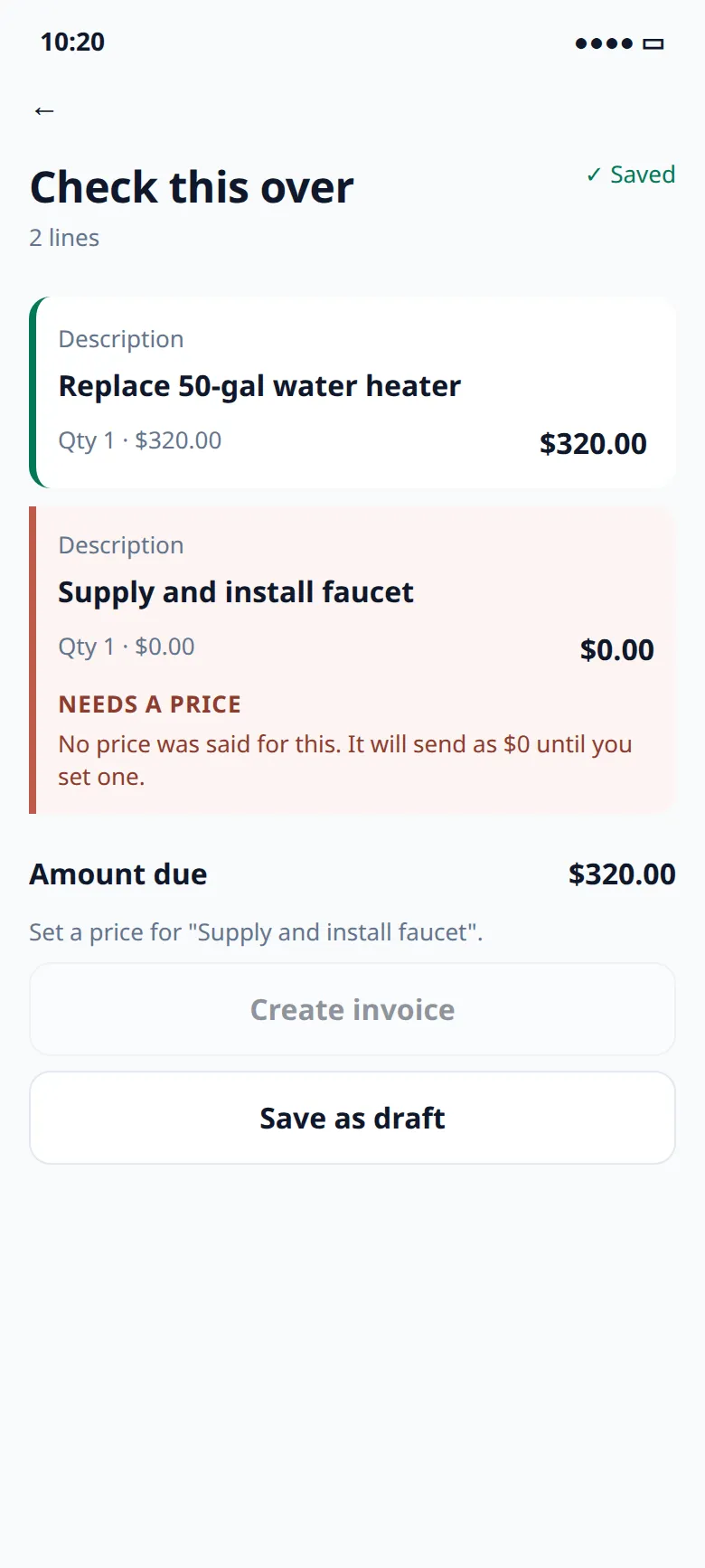
02
The faucet was never given a price, so it stays at $0 and is marked Needs a price. SnipInvoice does not fill that in. You create the invoice only when it is right.
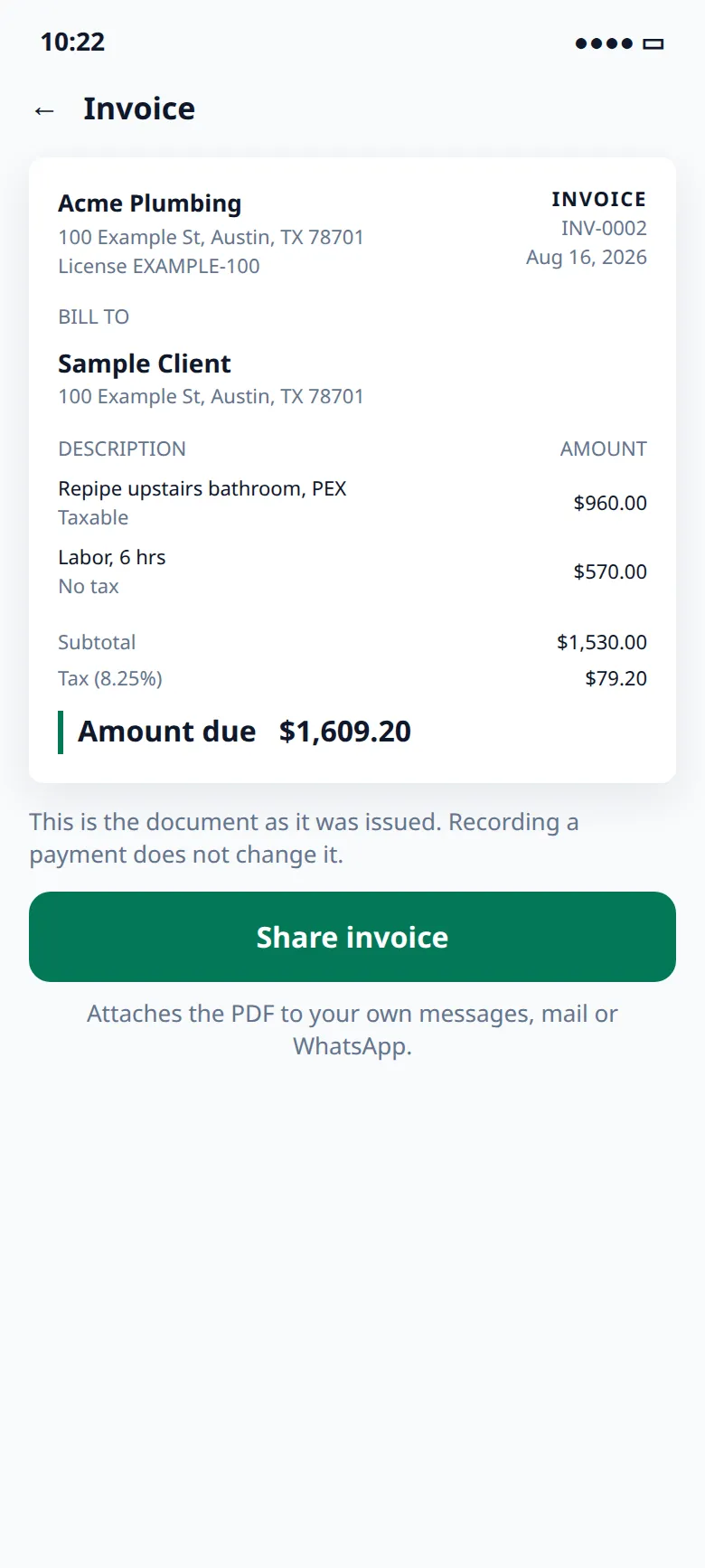
03
Share the PDF from your own phone, by text, mail, or anything else your phone can share to. SnipInvoice does not send it for you. Mark it sent after it has gone.
Plumbing, electrical or HVAC. Pick one to see what you would say and the invoice it becomes.
You might say
Sample Client. Repipe the upstairs bathroom, PEX, nine hundred sixty dollars. Labor, six hours at ninety-five an hour.
Acme Plumbing
INVOICE
Sample Client
| Description | Amount |
|---|---|
| Repipe upstairs bathroom, PEX | $960.00 |
| Labor, 6 hrs | $570.00 |
Subtotal$1,530.00
Tax (8.25%)$79.20
Amount due$1,609.20
Sample invoice from the app screen. Materials can be taxable and labor not. You set the rate. SnipInvoice does not look tax up.
You might say
Example Cafe. Panel upgrade. Send the quote first.
Sample estimate
ESTIMATE
Example Cafe
| Description | Amount |
|---|---|
| Panel upgrade | $3,220.00 |
Quote total$3,220.00
Sample, from the Estimates screen. EST-0002 was converted to INV-0006. A quote says ESTIMATE and does not bill anyone. Quotes are free on every plan.
You might say
Sample Client. Furnace tune-up, one hundred eighty dollars. Replace the AC capacitor, sixty-four dollars. Labor, two hours at ninety-five an hour.
Acme Heating
INVOICE
Sample Client
| Description | Amount |
|---|---|
| Furnace tune-up | $180.00 |
| AC capacitor | $64.00 |
| Labor, 2 hrs | $190.00 |
Subtotal$434.00
Tax (8.25%)$5.28
Amount due$439.28
Sample invoice. The capacitor is taxable and the tune-up and labor are not, at the same 8.25% as the plumbing sample. You set the rate. SnipInvoice does not look tax up.
The review screen is the point of the product. You read the draft. A line it understood stays quiet. A line that needs you is marked.
If you did not say a price, the line stays at $0 and says Needs a price. It will not guess.
Materials can be taxable and labor not. You set the rates. SnipInvoice does not look tax up for you.
The PDF leaves from your phone. We do not email your client, and there is no server here that could.
Sample lines
Sample, from the review screen. Amount due on that screen is $320.00 until you set the missing price.
The same product on every plan. Phones show sample screens.
Paid, unpaid, quotes waiting, and quotes accepted. One glance, from the same records as the lists.
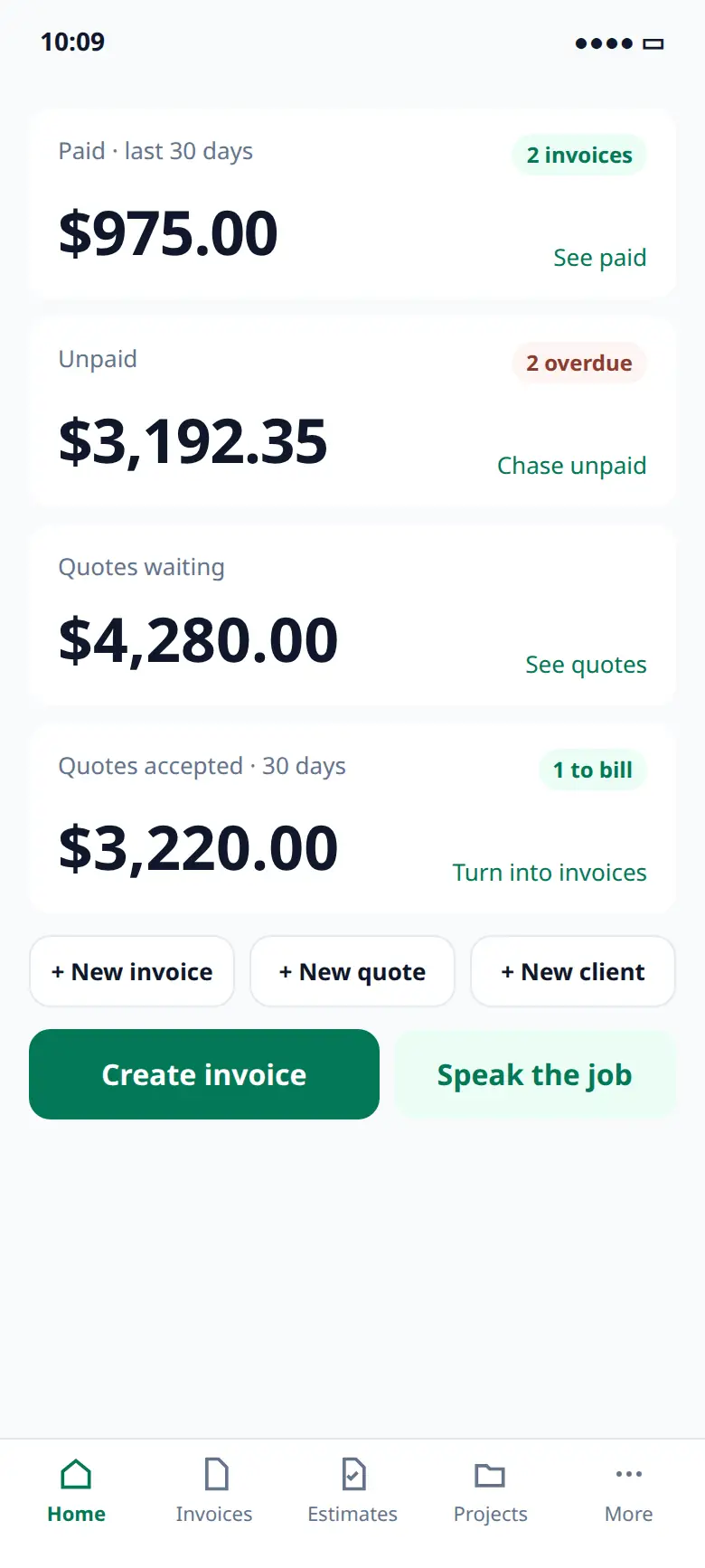
A sent kitchen remodel quote, and a panel upgrade already converted. Quotes never use an invoice.
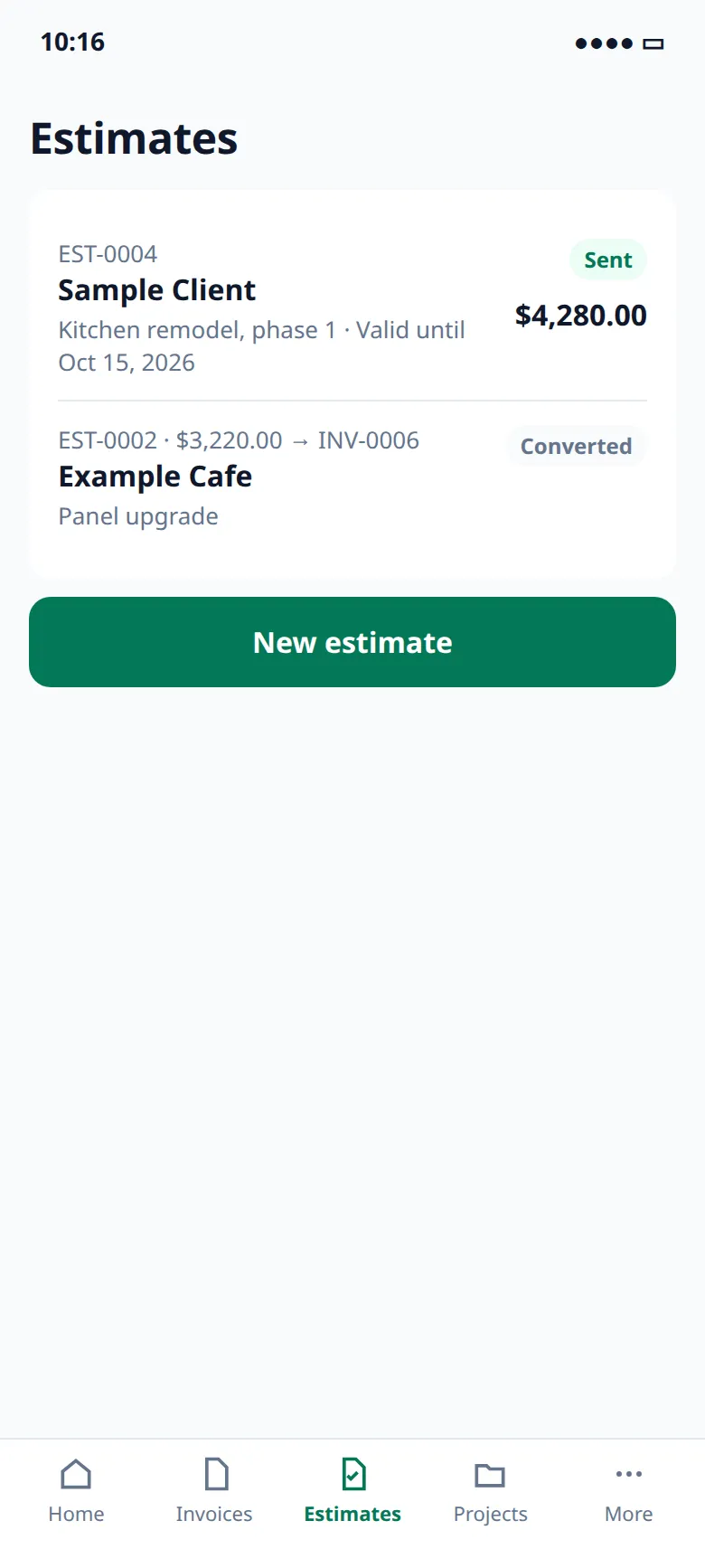
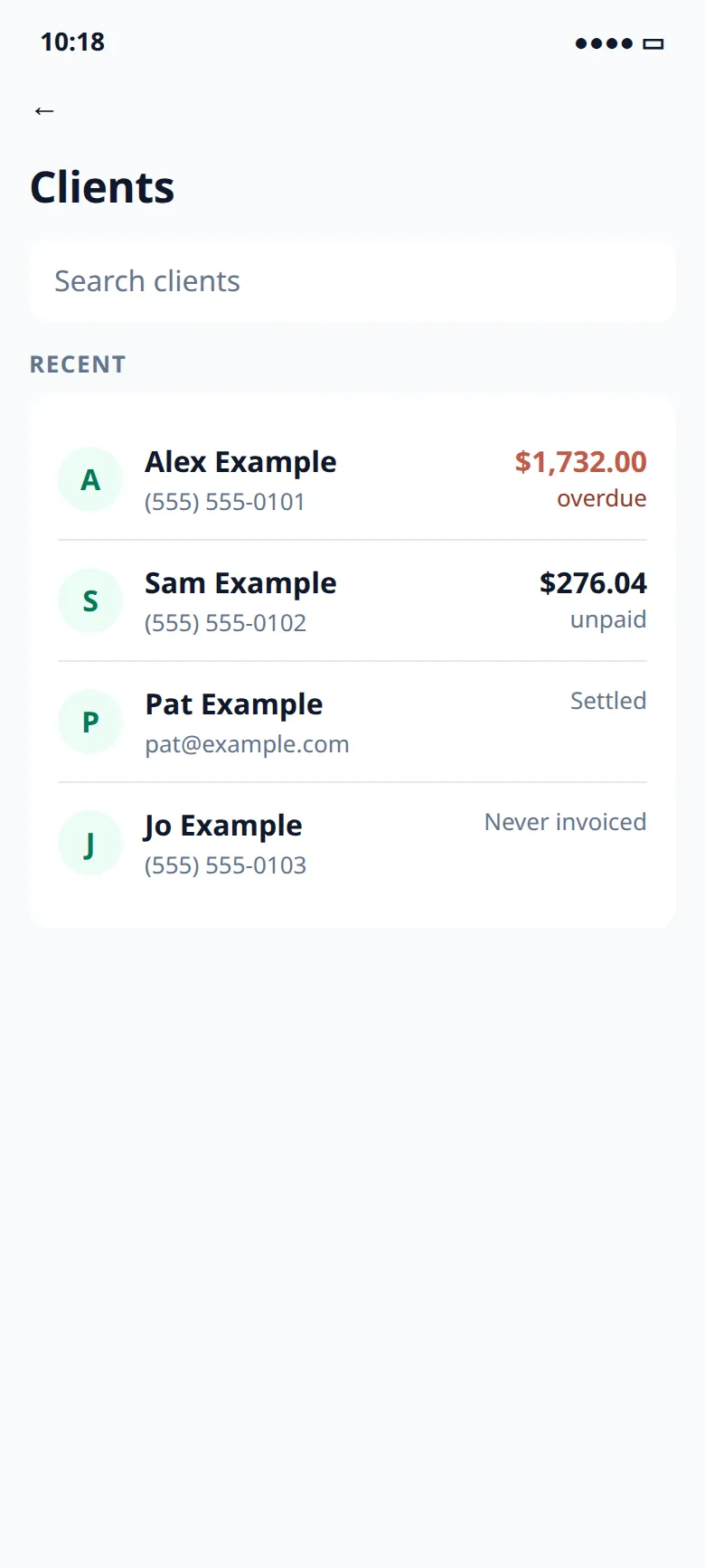
Overdue and unpaid sit on the list. A client on a sent invoice stays with the document.
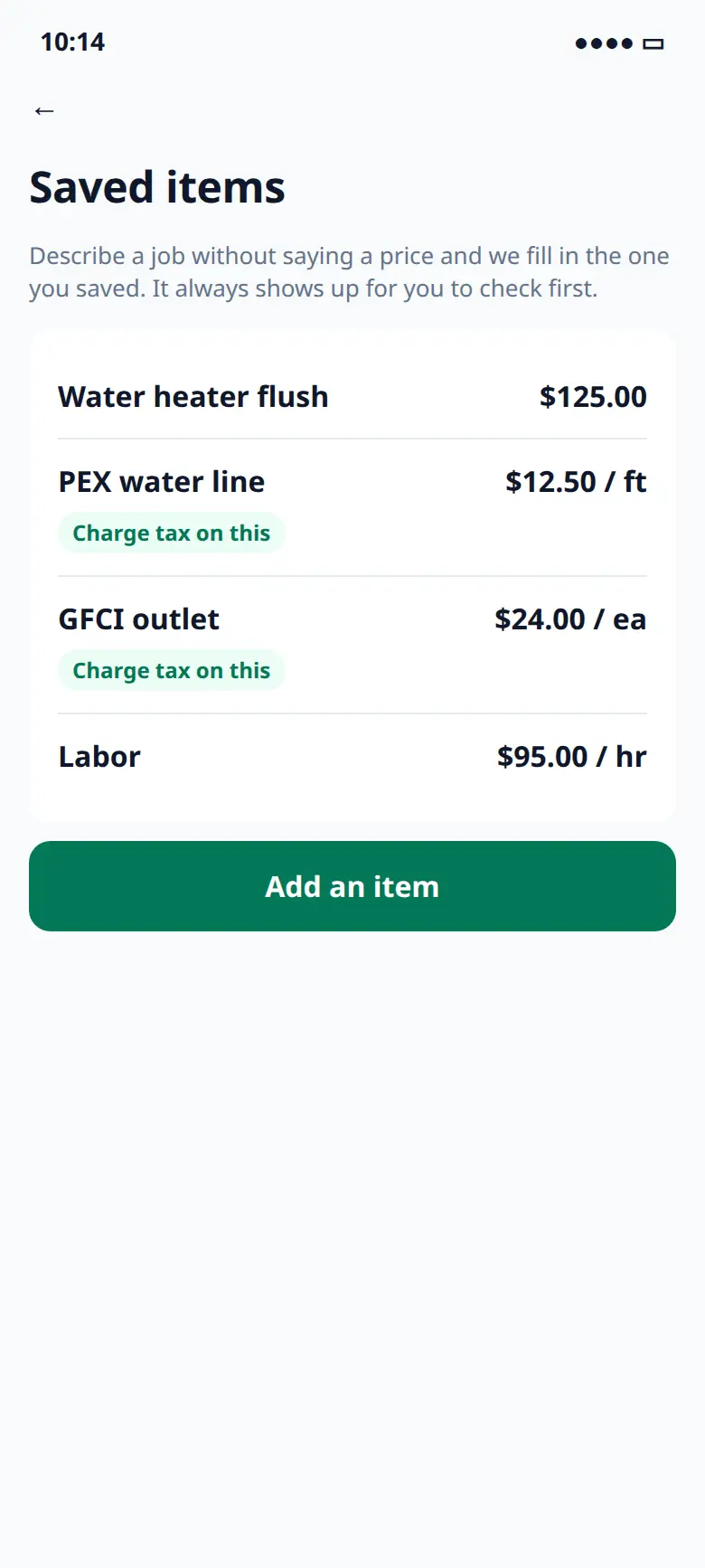
Save the name, the price, and whether tax applies. A spoken job can pick the saved price up, and you still check it.
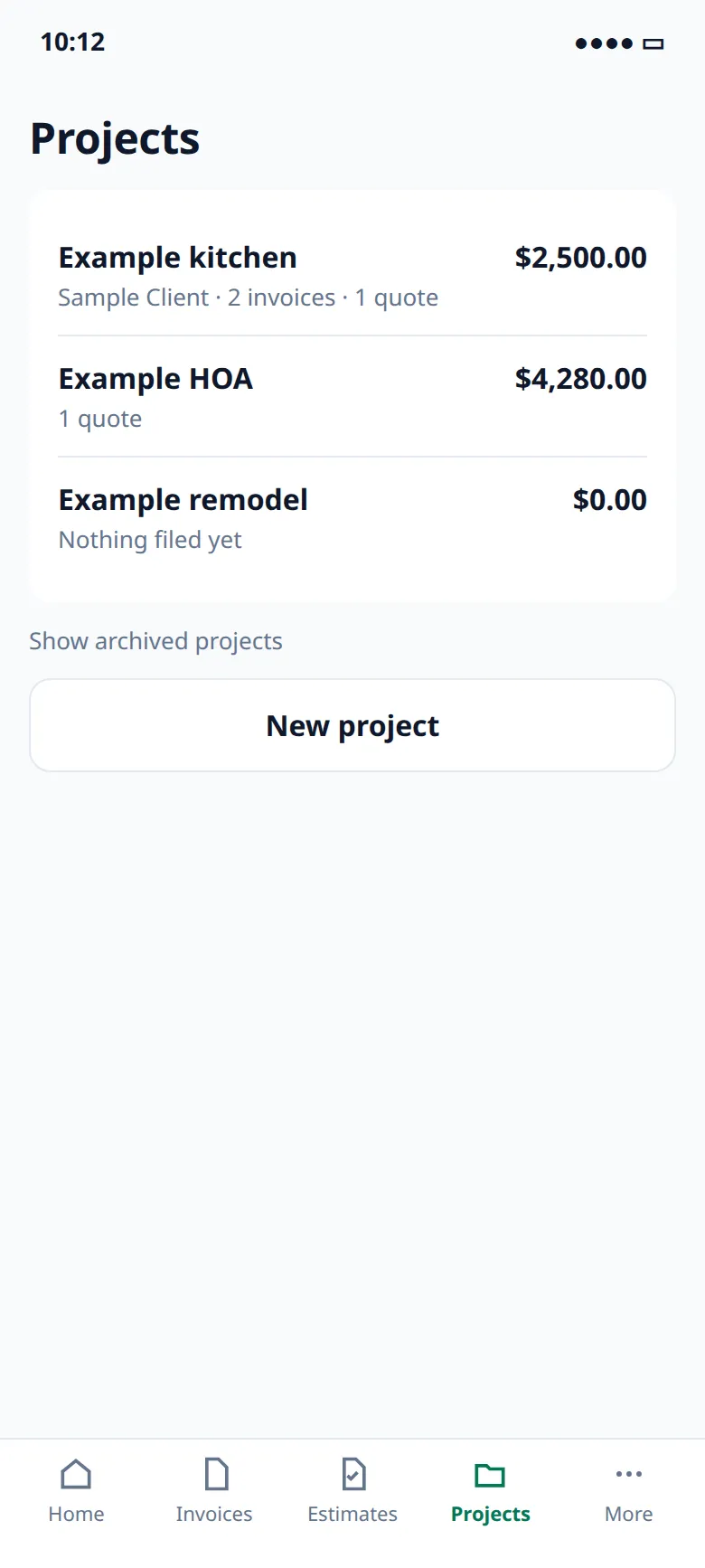
Example kitchen and Example HOA, so several invoices for one client stay tellable apart.
A member can create invoices and record payments. Only an owner voids, changes tax, or exports the account.
Cash, check, bank transfer, card taken outside the app, or other. Partial payments drop what is still owed. A reminder goes out from your phone. Nothing sends itself.
The same product on every plan. What changes is how many invoices you can raise in a month, and whether the PDF carries a small footer.
Materials can be taxable and labor not. You set the rates. SnipInvoice does not look tax up for you.
Knock an amount or a percent off the job. It prints as its own line, so you did not quietly rewrite a price.
Invoices are prefix-0001 upward. Quotes use their own sequence, so a declined quote never leaves a hole.
A sent invoice cannot be edited. Void it if nothing has been paid, and create a corrected one. The old number stays.
Copy the lines onto a new draft. The PO does not come along — that was their order, not a new one.
See what is late, gathered, without opening every invoice.
Cash, check, bank transfer, card taken outside the app, or other. Partial payments drop the still-owed number.
Name, address, phone, tax ID, license and logo are copied onto the document. Moving offices later does not rewrite old PDFs.
The owner can take every invoice, quote, customer and line as one file. No request form.
Personal details on the account go. Invoices and payment records are kept as sent, including what was printed on them.
Review saves on this device. Nothing is an invoice until you create it, and creating it is what uses the allowance.
GST, HST, PST and QST aren't supported, so SnipInvoice is for US businesses for now.
Free to download
Get the SnipInvoice app, set up your business in a couple of minutes, and send the first invoice before you leave the driveway.
Create your account in the app. Coming soon to Android.
Sample screens
Short answers. All questions.
No. In the SnipInvoice app, every invoice can be typed instead, and the app is fully usable without ever recording anything. Voice is the fastest way in, not the only one. This website does not take a recording.
In the SnipInvoice app, this is how a recording is handled. We don't store your voice recordings. Audio is sent to our AI provider to turn it into text, and we don't keep it afterwards. We keep the text transcript so you can see what the draft was built from. A microphone records whatever is audible while the app is recording. You tap to start and tap again to stop.
You see it before your client does. That is the whole point of the review screen — a line it was unsure about is marked, and a price it never heard is left visibly blank rather than invented.
Never. You send the invoice yourself, from your own phone. We do not contact your clients at all, and there is no server here that could.
You record payments you've received: cash, check, bank transfer, card taken outside the app, or other. Partial payments are supported, and the invoice shows what's still owed.
One tap in Settings exports every invoice, quote, client and line item as a single file. No request form and no waiting. Deleting your account is one tap too.
Notes on invoicing for trade contractors.
Getting Paid
Retainage in construction explained: typical percentages, how to show retainage on progress invoices, how to bill its release, and how to get paid faster.
Invoicing Guides
Appliance repair invoice guide: how to bill diagnostic fees, parts and labor, multi-visit repairs and warranties, with a sample appliance repair invoice.
Invoicing Guides
Pool service invoice guide: how to bill weekly pool maintenance, chemicals, repairs, openings and closings, with a sample pool service invoice and FAQs.
Coming soon to Android. Ask to join the test.